
Blog English
Facebook 24-Hour Messaging Window Explained

Aug
Facebook 24-hour messaging window is something every business running Facebook Messenger broadcasts eventually has to deal with: a message that worked perfectly last week may suddenly stop delivering the same way this week. The reason is often the 24-hour messaging window—the period after a customer last messaged the Page during which standard replies can reliably reach them. Understanding this window changes how a Page plans every broadcast, from the wording used to the exact time a message is sent. This article explains what the window means, why it exists, and how to broadcast without quietly losing part of your audience when the window closes.
The Facebook 24-hour messaging window is the period after a customer’s last message during which a Page’s replies are guaranteed standard delivery on Messenger.
CONTENT
What Is the Facebook 24-Hour Messaging Window?
The 24-hour window starts counting from the moment a customer last sends a message to a Page. During that period, the Page can reply with standard messages and expect normal delivery. Once the window closes, a Page’s messaging options narrow, and a plain broadcast may not reach that contact the way it would have a day earlier. This matters most for businesses that build their entire outreach around a broader Facebook Messenger broadcast strategy, since a contact list is never static, it is constantly aging in and out of the window as people message in and go quiet.
How the Facebook 24-Hour Messaging Window Works
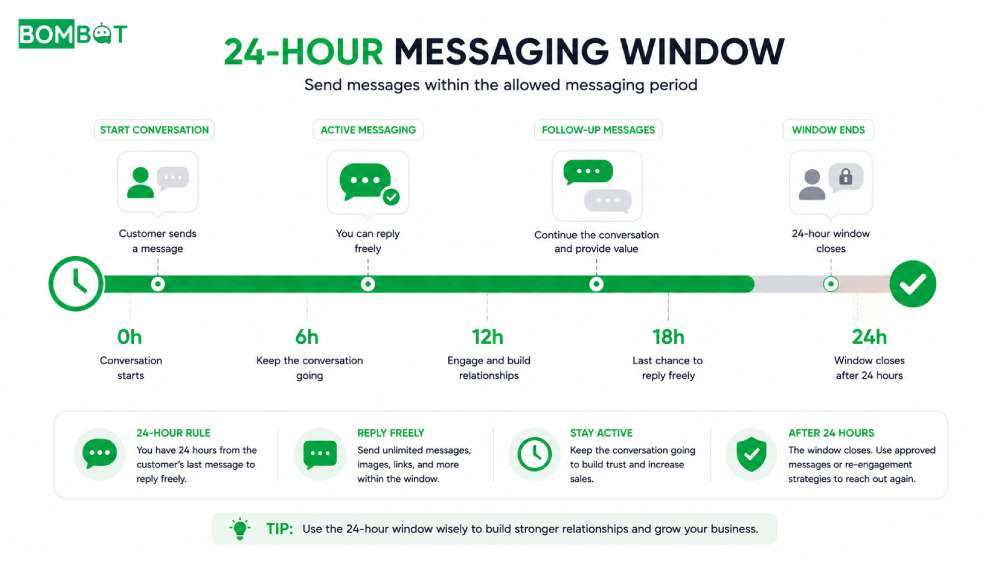
The Facebook 24-hour messaging window begins when a customer sends a message to your Facebook Page. From that moment, businesses can send standard Messenger replies. If the customer sends another message before the window expires, the 24-hour timer resets automatically, giving the Page another full period to continue the conversation.
Here’s how the process works:
Customer sends a message: This starts the Facebook 24-hour messaging window.
Businesses can send standard replies: During the active window, Pages can respond to questions, share updates, or send follow-up messages.
Each new customer message resets the timer: Every new interaction extends the window for another 24 hours.
The window expires after 24 hours of inactivity: Once the customer stops interacting, standard messaging becomes limited, and businesses must follow Meta’s messaging policies for future outreach.
Why Does Facebook Use the 24-Hour Messaging Window?
The window exists to protect users from unsolicited messaging. It ties a business’s ability to send free-form messages to an active, recent conversation, rather than granting indefinite messaging rights just because a person contacted the Page once. This keeps Messenger closer to a real conversation channel and pushes businesses to send content that recipients actually expect at the time it arrives.
How to Plan Broadcasts Around the Window
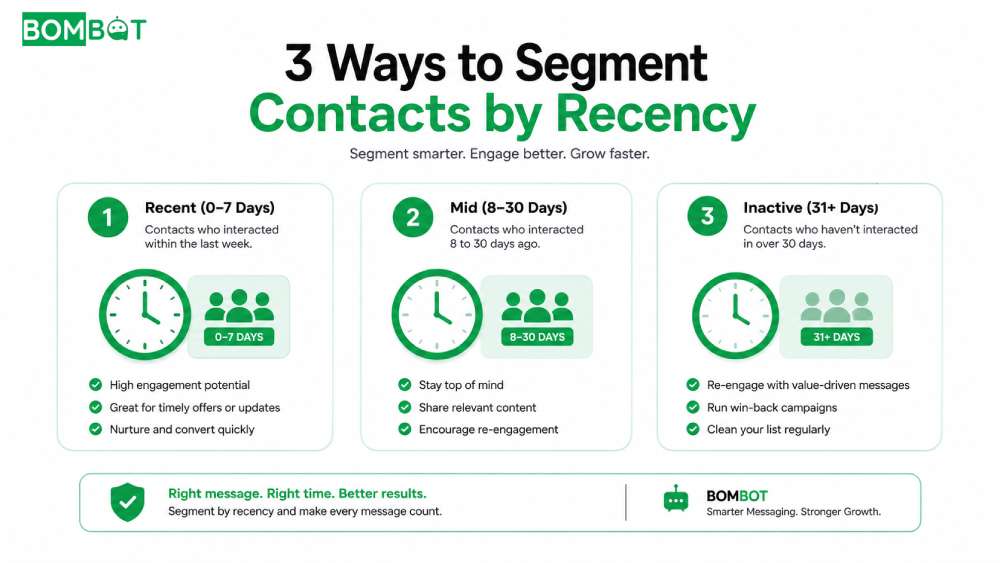
Segment Contacts By Window Recency
Send Time-Sensitive Messages Within The Window
Handle Re-Engagement Outside The Window
Grouping contacts by how recently they last messaged keeps broadcasts realistic about who will actually receive them inside the window. Time-sensitive announcements, like same-day promotions, should go to the most recently active contacts first. For contacts who have gone quiet for weeks, a re-engagement message needs a different approach entirely, since sending the same bulk message to old and new contacts alike raises the risk of a page restricted from messaging, particularly if long-inactive recipients report the message as unwanted.
Mistakes That Waste the Window
- Broadcasting to an entire contact list without checking who is still inside the window.
- Assuming a message “sent” means a message “delivered.”
- Reusing the same generic text for both active and inactive contacts, instead of relying on clear message templates suited to each group.
- Waiting too long after a customer’s last message to send anything at all.
Frequently Asked Questions About The Facebook 24-Hour Messaging Window
Does the 24-hour window reset every time a customer messages again?
Yes. Each new message from the customer restarts the window, giving the Page another full period of guaranteed delivery from that point.
What happens to a broadcast sent after the window closes?
It may not deliver the way an in-window message would, which is why timing broadcasts around recent contact activity matters more than around a fixed schedule.
Broadcasting Safely Within the Window
Timing broadcasts around the 24-hour window takes real attention when a contact list has hundreds of people at different stages. BOMBOT sends bulk messages to your Fanpage contacts safely, without needing to track each conversation by hand. Try it free at bombot.vn.
Why Facebook Pages Get Restricted From Messaging Read more
How To Send Bulk Messages With Bombot Watch full
